
Introduction
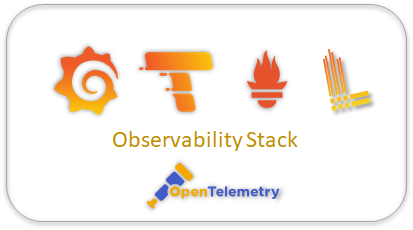
In today’s cloud-native landscape, observability isn’t just a nice-to-have—it’s essential for understanding system behavior, debugging issues, and ensuring reliability. This blog post explores a complete, production-ready observability platform built on the LGTM Stack (Loki, Grafana, Tempo, Mimir) with OpenTelemetry instrumentation, running on Kubernetes.
Whether you’re a DevOps engineer looking to implement observability, a developer wanting to understand distributed tracing, or a platform architect designing monitoring solutions, this comprehensive guide will walk you through a reference implementation that demonstrates industry best practices.
🎯 Project Overview
What is the LGTM Stack?
The LGTM Stack represents Grafana’s comprehensive observability solution:
- Loki – Horizontally scalable, multi-tenant log aggregation system
- Grafana – Feature-rich visualization and dashboarding platform
- Tempo – High-scale distributed tracing backend
- Mimir – Long-term storage for Prometheus metrics
Key Features
This implementation provides:
✅ Multi-service architecture – Flask frontend → Flask backend → SQLite database
✅ Complete telemetry collection – Traces, metrics, and logs
✅ Distributed tracing – End-to-end request tracking across service boundaries
✅ Log-to-trace correlation – Navigate seamlessly from logs to traces
✅ Pre-built dashboards – Production-ready monitoring views
✅ OpenTelemetry instrumentation – Standards-based telemetry collection
✅ Kubernetes-native – Runs on Kind (Kubernetes in Docker)
🏗️ Architecture Deep Dive
High-Level Architecture
The system is organized into two primary layers:
1. Application Layer
Flask Frontend (2 replicas)
- Serves as the user-facing web interface
- Makes HTTP requests to backend services
- Exports telemetry via OTLP/HTTP to Grafana Alloy (port 4318)
- Service name:
flask-frontend - Exposes port 8080 via NodePort (30080)
Flask Backend (1 replica)
- Provides REST API for data operations
- Uses SQLite for persistent storage
- Exports telemetry via OTLP/gRPC to Grafana Alloy (port 4317)
- Service name:
flask-backend - Internal ClusterIP service (port 8081)
Key Endpoints:
Frontend:
  GET /              - Home page
  GET /api/users     - Fetch all users (proxies to backend)
  GET /api/users/:id - Fetch user by ID
  GET /api/stats     - Database statistics
  GET /health        - Health check
  GET /ready         - Readiness probe

Backend:
  GET /users         - List all users
  GET /users/:id     - Get user by ID
  POST /users        - Create new user
  DELETE /users/:id  - Delete user
  GET /stats         - Database statistics
  GET /health        - Health check
2. Observability Layer
Grafana Alloy (Unified Collector)
- Acts as a central telemetry collection point
- Receives data via OTLP (gRPC: 4317, HTTP: 4318)
- Scrapes Prometheus metrics from cAdvisor
- Routes telemetry to appropriate backends
- Performs batch processing for efficiency
Loki (Log Aggregation)
- Receives logs from Alloy via Loki push API
- Stores logs with labels for efficient querying
- Supports full-text search with LogQL
- Filesystem-based storage (production should use object storage)
Tempo (Distributed Tracing)
- Receives traces via OTLP protocol
- Stores and indexes trace data
- Supports TraceQL for advanced querying
- Enables service dependency analysis
Mimir (Metrics Storage)
- Prometheus-compatible metrics storage
- Receives metrics via remote write API
- Supports PromQL queries
- Provides long-term metric retention
Grafana (Visualization)
- Pre-configured with datasources (Loki, Tempo, Mimir)
- Two pre-built dashboards (Overview + Performance)
- Explore interface for ad-hoc queries
- Log-to-trace correlation via derived fields
Data Flow Architecture
Metrics Flow
┌─────────────┐
│  Flask App  │
└──────┬──────┘
       │ OTLP
       ▼
┌─────────────┐
│    Alloy    │
└──────┬──────┘
       │ Prometheus Remote Write
       ▼
┌─────────────┐
│    Mimir    │
└──────┬──────┘
       │ PromQL
       ▼
┌─────────────┐
│   Grafana   │
└─────────────┘
Metrics Collected:
- HTTP request duration (histogram)
- HTTP request count by status code (counter)
- Container CPU usage (from cAdvisor)
- Container memory usage (from cAdvisor)
- Network I/O statistics
- Disk I/O statistics
Logs Flow
┌─────────────┐
│  Flask App  │
└──────┬──────┘
       │ OTLP Log Export
       ▼
┌─────────────┐
│    Alloy    │
└──────┬──────┘
       │ Loki Push API
       ▼
┌─────────────┐
│    Loki     │
└──────┬──────┘
       │ LogQL
       ▼
┌─────────────┐
│   Grafana   │
└─────────────┘
Log Structure:
- Labels:
job,level,service_name,trace_id - Automatic trace ID extraction for correlation
- Structured logging with context propagation
Traces Flow
┌─────────────┐
│  Flask App  │
└──────┬──────┘
       │ OTLP Span Export
       ▼
┌─────────────┐
│    Alloy    │
└──────┬──────┘
       │ OTLP/gRPC
       ▼
┌─────────────┐
│    Tempo    │
└──────┬──────┘
       │ TraceQL
       ▼
┌─────────────┐
│   Grafana   │
└─────────────┘
Trace Structure:
Frontend Span (flask-frontend)
  ├─ HTTP GET /api/users
  │   └─ Backend Span (flask-backend)
  │       ├─ HTTP GET /users
  │       └─ SQLite Query Span
  │           └─ SELECT * FROM users
OpenTelemetry Instrumentation
The implementation uses manual instrumentation for complete control:
# Resource definition
resource = Resource.create({
    "service.name": "flask-backend",
    "service.version": "1.0.0"
})

# Trace provider
trace_provider = TracerProvider(resource=resource)
span_exporter = OTLPSpanExporter(endpoint=otlp_endpoint)
trace_provider.add_span_processor(BatchSpanProcessor(span_exporter))

# Metric provider
metric_reader = PeriodicExportingMetricReader(OTLPMetricExporter())
meter_provider = MeterProvider(resource=resource, metric_readers=[metric_reader])

# Log provider
logger_provider = LoggerProvider(resource=resource)
logger_provider.add_log_record_processor(BatchLogRecordProcessor(OTLPLogExporter()))

# Auto-instrumentation for frameworks
FlaskInstrumentor().instrument_app(app)
RequestsInstrumentor().instrument()
SQLite3Instrumentor().instrument()
Benefits of Manual Instrumentation:
- ✅ Complete control over telemetry
- ✅ Custom span attributes
- ✅ Granular sampling strategies
- ✅ Educational value for learning
- ✅ No operator dependencies
Network Architecture
Port Mappings:
| Component | Internal Port | External Port | Protocol |
|---|---|---|---|
| Grafana | 3000 | 3000 | HTTP |
| Flask Frontend | 8080 | 8080 | HTTP |
| Loki | 3100 | 3100 | HTTP |
| Tempo | 3200 | – | HTTP |
| Alloy OTLP | 4317 | – | gRPC |
| Alloy OTLP | 4318 | – | HTTP |
| Mimir | 8080 | – | HTTP |
Service Communication:
- Frontend → Backend: HTTP (ClusterIP)
- Apps → Alloy: OTLP (ClusterIP)
- Alloy → Loki/Tempo/Mimir: Various protocols (ClusterIP)
- Grafana → All Backends: HTTP/gRPC (ClusterIP)
- User → Grafana: HTTP (NodePort 30300)
- User → Frontend: HTTP (NodePort 30080)
💼 Use Cases and Applications
1. Educational and Learning
Scenario: Teams new to observability want hands-on experience
How This Helps:
- Complete working example of LGTM stack integration
- Demonstrates OpenTelemetry best practices
- Shows distributed tracing in action
- Includes pre-built dashboards to learn from
- PowerShell automation for easy deployment
Target Audience:
- Developers learning observability
- Platform engineers evaluating Grafana stack
- Students studying distributed systems
- DevOps teams planning monitoring strategy
2. Development and Testing
Scenario: Development teams need local observability for debugging
How This Helps:
- Runs entirely on local Kind cluster
- Minimal resource requirements
- Easy reset and cleanup
- Simulates production observability
- Test monitoring configurations before deployment
Workflow:
# Start development environment
.\scripts\setup-cluster.ps1
.\scripts\deploy.ps1

# Make code changes
# ... edit app/app.py ...

# Rebuild and test
.\scripts\build-app.ps1
kubectl rollout restart deployment/flask-frontend -n app

# Generate test traffic
.\scripts\generate-traffic.ps1

# View results in Grafana
# http://localhost:3000
3. Proof of Concept (PoC)
Scenario: Organizations evaluating Grafana LGTM stack
How This Helps:
- Production-like architecture
- Demonstrates key capabilities
- Shows integration patterns
- Provides baseline for capacity planning
- Includes performance testing scripts
Evaluation Points:
- ✅ Log aggregation and search (Loki)
- ✅ Distributed tracing (Tempo)
- ✅ Metrics storage and querying (Mimir)
- ✅ Unified visualization (Grafana)
- ✅ OpenTelemetry compatibility
- ✅ Kubernetes deployment patterns
4. Monitoring Template
Scenario: Teams need a starting point for monitoring infrastructure
How This Helps:
- Reference implementation for Kubernetes deployments
- Working Grafana Alloy configuration
- Dashboard templates (Overview + Performance)
- RBAC configurations
- Service discovery patterns
Customization Points:
- Modify dashboards for specific metrics
- Add custom endpoints to applications
- Adjust retention policies
- Configure alerting rules
- Scale components based on load
5. Debugging Distributed Systems
Scenario: Production issues require trace analysis
How This Helps:
- End-to-end request tracing
- Log-to-trace correlation
- Service dependency mapping
- Performance bottleneck identification
- Error root cause analysis
Example Workflow:
- User reports slow API response
- Query logs in Grafana for error messages
- Click trace ID in log entry
- View complete trace showing:
- Frontend received request (2ms)
- Backend called (150ms – bottleneck!)
- Database query executed (145ms – root cause!)
- Optimize database query
- Verify improvement with metrics dashboard
6. Performance Benchmarking
Scenario: Need to test application under load
How This Helps:
- Heavy load generation script (10,000 requests)
- Real-time metrics collection
- Performance dashboard with p95/p99 percentiles
- Resource utilization monitoring
Load Testing:
# Generate heavy load
.\scripts\generate-heavy-load.ps1

# Monitor in Grafana:
# - Request rates spike
# - Response times increase
# - CPU/Memory usage
# - Error rates
# - Network I/O
7. CI/CD Integration
Scenario: Automated testing needs observability validation
How This Helps:
- Scriptable deployment
- Health check endpoints
- Automated traffic generation
- Programmatic metric queries
CI/CD Pipeline Example:
test-observability:
  steps:
    - setup-cluster.ps1
    - deploy.ps1
    - test-app.ps1  # Validates all endpoints
    - generate-traffic.ps1
    - validate-metrics.ps1  # Custom script
    - cleanup.ps1 -DeleteCluster
✅ Best Practices Demonstrated
1. OpenTelemetry Standards
✅ Use Semantic Conventions
resource = Resource.create({
    "service.name": "flask-backend",
    "service.version": "1.0.0",
    "deployment.environment": "production"
})
✅ Batch Processing
- Uses
BatchSpanProcessorfor traces - Uses
BatchLogRecordProcessorfor logs - Reduces network overhead
- Improves performance
✅ Context Propagation
- Automatic trace context propagation
- W3C Trace Context standard
- Maintains trace across service boundaries
2. Kubernetes Best Practices
✅ Namespace Isolation
observability namespace:  # Monitoring infrastructure
app namespace:            # Application workloads
✅ Health and Readiness Probes
livenessProbe:
  httpGet:
    path: /health
    port: 8080
readinessProbe:
  httpGet:
    path: /ready
    port: 8080
✅ Resource Requests and Limits
resources:
  requests:
    memory: "128Mi"
    cpu: "100m"
  limits:
    memory: "256Mi"
    cpu: "500m"
✅ ConfigMap-Based Configuration
- Alloy configuration in ConfigMap
- Grafana datasources in ConfigMap
- Easy updates without image rebuilds
✅ RBAC for Service Discovery
apiVersion: rbac.authorization.k8s.io/v1
kind: ClusterRole
metadata:
  name: alloy
rules:
- apiGroups: [""]
  resources: ["pods", "nodes"]
  verbs: ["get", "list", "watch"]
3. Observability Best Practices
✅ Log-to-Trace Correlation
derivedFields:
  - datasourceUid: tempo
    matcherRegex: "trace_id=(\\w+)"
    name: TraceID
    url: "$${__value.raw}"
✅ Structured Logging
- JSON-formatted logs
- Consistent log levels (INFO, WARNING, ERROR)
- Include trace IDs in all log entries
- Use semantic labels
✅ Meaningful Metrics
- HTTP request duration (histogram for percentiles)
- Request count by status code
- Application-specific business metrics
- Infrastructure metrics (CPU, memory, I/O)
✅ Dashboard Design
- Overview dashboard for high-level health
- Detailed performance dashboard
- Variables for filtering (service selector)
- Consistent time ranges
- Logical grouping of panels
4. Development Workflow
✅ Infrastructure as Code
- All Kubernetes manifests in source control
- Version-controlled dashboards (JSON)
- Scripted deployment and cleanup
- Reproducible environments
✅ Automation Scripts
scripts/
  ├── setup-cluster.ps1      # Cluster creation
  ├── deploy.ps1             # Full stack deployment
  ├── build-app.ps1          # Image building
  ├── generate-traffic.ps1   # Load testing
  ├── test-app.ps1           # Endpoint validation
  └── cleanup.ps1            # Environment cleanup
✅ Documentation
- README with quick start
- ARCHITECTURE.md for design details
- GETTING-STARTED.md for setup guide
- DEVELOPMENT.md for workflows
5. Scalability Patterns
✅ Horizontal Scaling
replicas: 2 # Frontend can scale horizontally✅ Service Abstraction
- ClusterIP services for internal communication
- NodePort for external access
- Service discovery via DNS
✅ Separation of Concerns
- Frontend handles user requests
- Backend handles data operations
- Collector handles telemetry routing
- Backends handle storage
🚀 Production Readiness Checklist
While this implementation is production-like, here’s what you need to add for actual production deployment:
Security 🔒
Current State (Demo):
- ❌ No authentication between services
- ❌ No TLS/SSL encryption
- ❌ Default Grafana credentials (admin/admin)
- ❌ No network policies
- ❌ No pod security policies
Production Requirements:
✅ Enable mTLS
# Use service mesh (Istio/Linkerd)
apiVersion: security.istio.io/v1beta1
kind: PeerAuthentication
metadata:
  name: default
spec:
  mtls:
    mode: STRICT
✅ Implement Authentication
- OAuth2/OIDC for Grafana
- API keys for datasource access
- Service accounts with least privilege
- Secret management (Sealed Secrets, Vault)
✅ Network Policies
apiVersion: networking.k8s.io/v1
kind: NetworkPolicy
metadata:
  name: allow-from-frontend
spec:
  podSelector:
    matchLabels:
      app: flask-backend
  ingress:
  - from:
    - podSelector:
        matchLabels:
          app: flask-frontend
✅ Pod Security
securityContext:
  runAsNonRoot: true
  runAsUser: 1000
  readOnlyRootFilesystem: true
  allowPrivilegeEscalation: false
  capabilities:
    drop:
      - ALL
✅ Secrets Management
# Use external secret management
kubectl create secret generic grafana-admin \
  --from-literal=username=admin \
  --from-literal=password=$(openssl rand -base64 32)
Storage 💾
Current State (Demo):
- ❌ Filesystem storage (local volumes)
- ❌ No retention policies
- ❌ EmptyDir volumes (ephemeral)
- ❌ Single-node storage
Production Requirements:
✅ Object Storage
# Loki configuration
storage_config:
  aws:
    s3: s3://region/bucket-name
    s3forcepathstyle: true

# Tempo configuration
storage:
  trace:
    backend: s3
    s3:
      bucket: tempo-traces
      region: us-east-1
✅ Retention Policies
# Loki retention
limits_config:
  retention_period: 30d

# Tempo retention
compactor:
  retention: 168h  # 7 days

# Mimir retention
limits:
  max_query_lookback: 8760h  # 1 year
✅ Persistent Volumes
volumeClaimTemplates:
  - metadata:
      name: storage
    spec:
      accessModes: ["ReadWriteOnce"]
      storageClassName: "fast-ssd"
      resources:
        requests:
          storage: 100Gi
✅ Backup Strategy
- Regular S3 backups
- Snapshot schedules
- Disaster recovery testing
- Cross-region replication
High Availability 🔄
Current State (Demo):
- ❌ Single-replica backends
- ❌ No pod disruption budgets
- ❌ No anti-affinity rules
- ❌ Single cluster
Production Requirements:
✅ Multiple Replicas
replicas: 3 # Minimum for HA✅ Pod Disruption Budgets
apiVersion: policy/v1
kind: PodDisruptionBudget
metadata:
  name: loki-pdb
spec:
  minAvailable: 2
  selector:
    matchLabels:
      app: loki
✅ Anti-Affinity Rules
affinity:
  podAntiAffinity:
    requiredDuringSchedulingIgnoredDuringExecution:
    - labelSelector:
        matchLabels:
          app: tempo
      topologyKey: kubernetes.io/hostname
✅ Multi-Zone Deployment
nodeSelector:
  topology.kubernetes.io/zone: us-east-1a
✅ Distributed Components
# Loki in microservices mode
- distributor (3 replicas)
- ingester (3 replicas)
- querier (3 replicas)
- query-frontend (2 replicas)
Monitoring the Monitors 📊
Production Requirements:
✅ Self-Monitoring
# Alloy health
up{job="alloy"}

# Loki ingestion rate
sum(rate(loki_distributor_bytes_received_total[5m]))

# Tempo trace ingestion
sum(rate(tempo_distributor_spans_received_total[5m]))

# Mimir write latency
histogram_quantile(0.99, rate(cortex_request_duration_seconds_bucket[5m]))
✅ Alerting Rules
groups:
  - name: lgtm-stack
    rules:
      - alert: LokiDown
        expr: up{job="loki"} == 0
        for: 5m
        annotations:
          summary: "Loki is down"

      - alert: HighTraceDropRate
        expr: rate(tempo_distributor_spans_dropped_total[5m]) > 100
        for: 5m
✅ Health Endpoints
curl http://loki:3100/ready
curl http://tempo:3200/ready
curl http://mimir:8080/ready
curl http://grafana:3000/api/health
Performance Optimization ⚡
Production Requirements:
✅ Resource Limits
resources:
  requests:
    cpu: "500m"
    memory: "1Gi"
  limits:
    cpu: "2000m"
    memory: "4Gi"
✅ Horizontal Pod Autoscaling
apiVersion: autoscaling/v2
kind: HorizontalPodAutoscaler
spec:
  scaleTargetRef:
    name: flask-frontend
  minReplicas: 3
  maxReplicas: 20
  metrics:
    - type: Resource
      resource:
        name: cpu
        target:
          type: Utilization
          averageUtilization: 70
✅ Caching Strategies
# Query caching in Grafana
[caching]
enabled = true
✅ Sampling Strategies
# Probabilistic sampling
sampler = TraceIdRatioBased(0.1)  # Sample 10% of traces

# Head-based sampling for errors
if response.status_code >= 500:
    span.set_attribute("sample.rate", 1.0)
Compliance and Governance 📜
Production Requirements:
✅ Data Retention Compliance
- GDPR compliance for log retention
- Data anonymization
- Right to deletion implementation
✅ Audit Logging
# Enable Grafana audit logs
[log]
mode = file
level = info

[auth]
audit_log_enabled = true
✅ Access Controls
- Role-based access control (RBAC)
- Audit trails for configuration changes
- Separation of duties
Operational Readiness 🛠️
Production Requirements:
✅ Runbooks and Documentation
- Incident response procedures
- Escalation paths
- Common troubleshooting steps
- Architecture diagrams
✅ Disaster Recovery Plan
- Backup and restore procedures
- Recovery time objectives (RTO)
- Recovery point objectives (RPO)
- Regular DR testing
✅ Capacity Planning
Metrics retention: 1 year = X GB
Logs retention: 30 days = Y GB
Traces retention: 7 days = Z GB
Growth rate: 20% per quarter
✅ Change Management
- Version control all configurations
- Staging environment for testing
- Rollback procedures
- Gradual rollouts (canary, blue-green)
🎓 Conclusion
This deep dive into the LGTM Stack with OpenTelemetry has demonstrated:
- Complete Architecture – From application instrumentation to data storage and visualization
- Data Flows – How metrics, logs, and traces flow through the system
- Practical Use Cases – Educational, development, PoC, and production monitoring scenarios
- Best Practices – OpenTelemetry standards, Kubernetes patterns, and observability design
- Production Checklist – Security, HA, storage, and operational requirements
Key Takeaways
✅ Observability is Multi-Dimensional
- Metrics tell you what is happening
- Logs tell you why it happened
- Traces tell you where it happened
- Together, they provide complete visibility
✅ Standards Matter
- OpenTelemetry provides vendor-neutral instrumentation
- W3C Trace Context enables distributed tracing
- Prometheus exposition format ensures metrics compatibility
✅ Design for Scale from Day One
- Separate compute and storage
- Use distributed architectures
- Implement proper retention policies
- Plan for growth
✅ Security is Non-Negotiable
- mTLS for service communication
- RBAC for access control
- Network policies for isolation
- Secret management for credentials
✅ Automation Enables Agility
- Infrastructure as Code
- Automated deployments
- Scriptable testing
- Reproducible environments
Resources and References
Official Documentation:
Repository Structure:
monitoring/
├── app/                    # Flask frontend
├── app-backend/            # Flask backend with SQLite
├── grafana/dashboards/     # Pre-built dashboards
├── k8s/base/               # Kubernetes manifests
├── scripts/                # PowerShell automation
├── ARCHITECTURE.md         # System design reference
├── GETTING-STARTED.md      # Setup guide
├── DEVELOPMENT.md          # Development workflows
└── README.md               # Quick start
Final Thoughts
Observability isn’t just about collecting data—it’s about enabling teams to understand system behavior, debug issues faster, and build more reliable services. The LGTM Stack with OpenTelemetry provides a complete, open-source solution that scales from local development to global production.
This reference implementation demonstrates that building production-grade observability doesn’t require expensive proprietary tools. With the right architecture, proper instrumentation, and adherence to best practices, you can achieve world-class observability using open-source technologies.
Whether you’re just starting your observability journey or looking to modernize existing monitoring infrastructure, the patterns and practices demonstrated here provide a solid foundation for success.
Start small, iterate quickly, and always measure what matters. 🚀
Quick Start Commands
Get started in minutes:
# 1. Create cluster
.\scripts\setup-cluster.ps1

# 2. Deploy stack
.\scripts\deploy.ps1

# 3. Generate traffic
.\scripts\generate-traffic.ps1

# 4. Open Grafana
# http://localhost:3000 (admin/admin)

# 5. Explore!
# - View metrics dashboards
# - Query logs in Explore
# - Trace distributed requests
# - Correlate logs to traces
This comprehensive guide provides everything you need to understand, deploy, and extend a production-ready observability platform. Whether you’re an individual developer learning observability or a platform team deploying at scale, these patterns will serve you well. Happy monitoring! 🎉